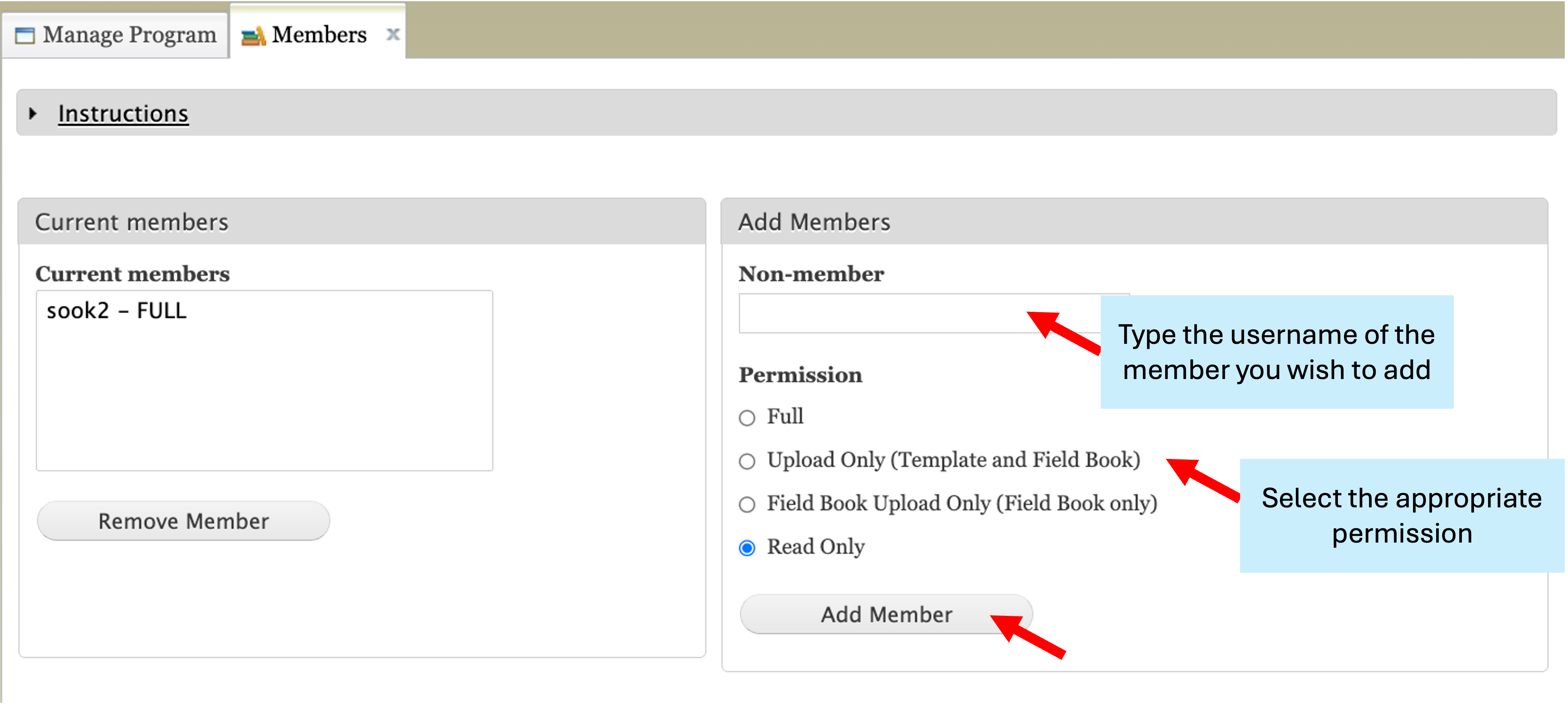
Managing Members and Permissions
There are currently four different permissions for BIMS members. To be a member of a BIMS program, users first need to ask for an account in the hosting database (Breedwithbims.org, GDR, CottonGEN, GDV, CGD, or PCD).
Full: Full permission to upload and edit data as well as view, search, and download data.
Upload Only (Template and Field Book): Permission to upload using any of the methods (templates, Field Book output files, Field Book data through BrAPI) as well as view, search, and download data.
Field Book Upload Only (Field Book only): Permission to upload data from Field Book (output files or BrAPI) as well as to view, search, and download data.
Read Only: Permission to view, search, and download only.
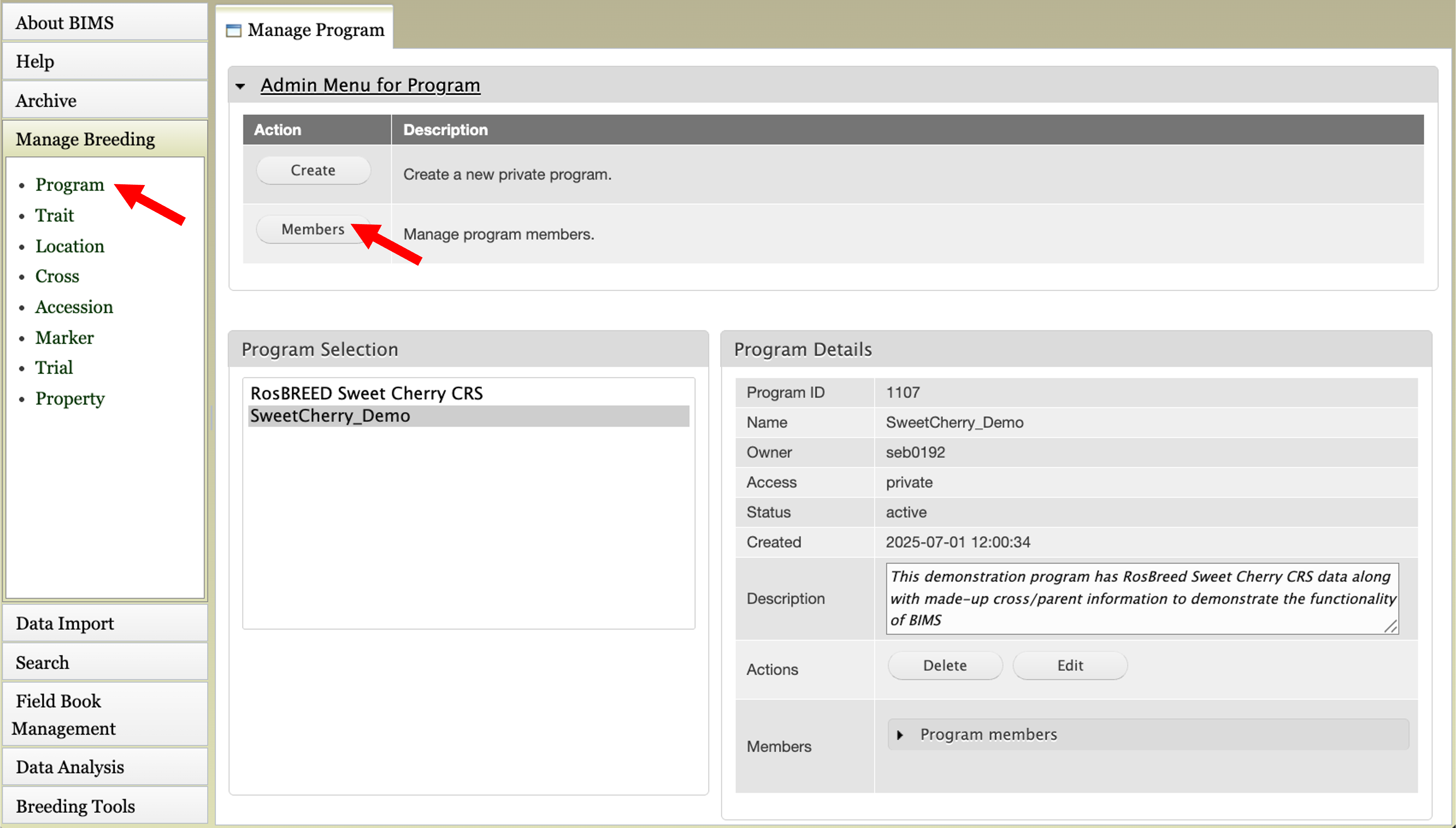
To add/delete or change their roles, click Program under ‘Manage Breeding’ on the left, expand Admin Menu for Program, and then click ‘Members’.
In ‘Member’s tab, if you start typing a database userid in the ‘Non-member’ field under the Add Members section, it will autocomplete the field. Choose the appropriate permission for the new member and click the ‘Add Member’ button.